I was tasked with altering the existing dialogue to make it suits the new project scope, which was discussing in Team Meeting 6.
Firstly, I made a list of what dialogue I would retain and what dialogue needed changing or adding.
Dialogue
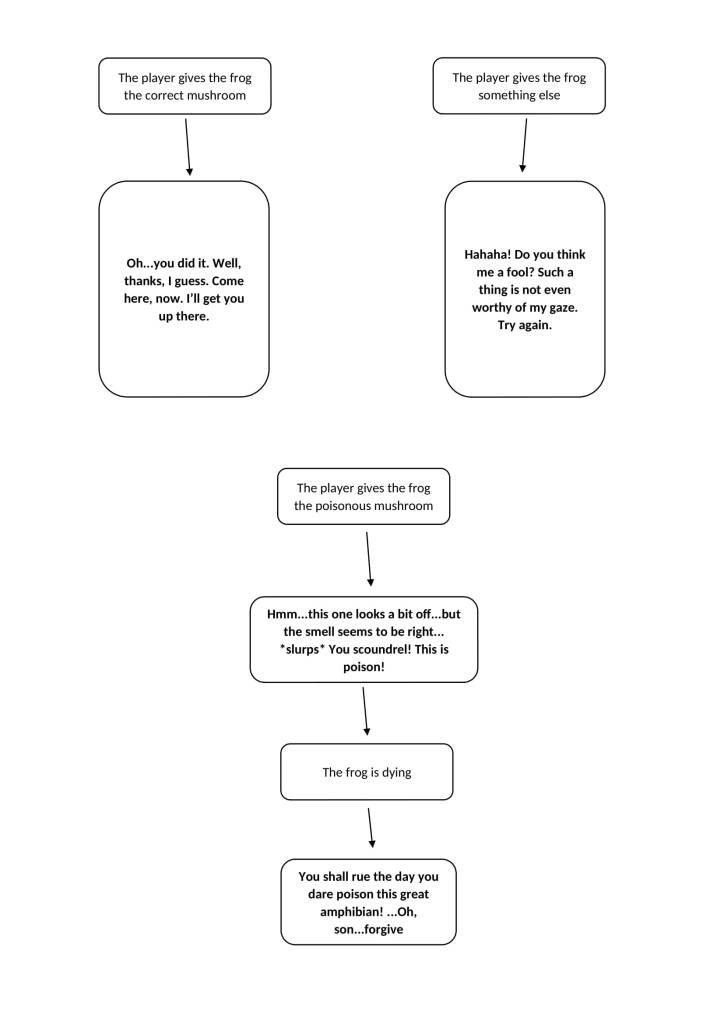
FROG
Frog at beginning – keep
Frog when given wrong item in flies quest – keep
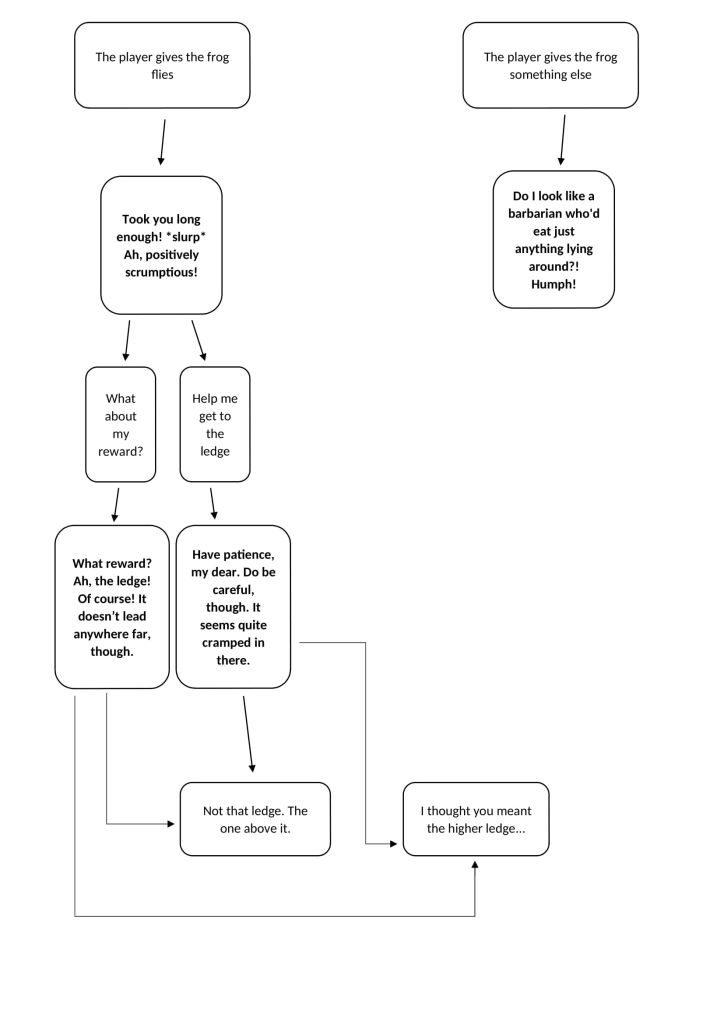
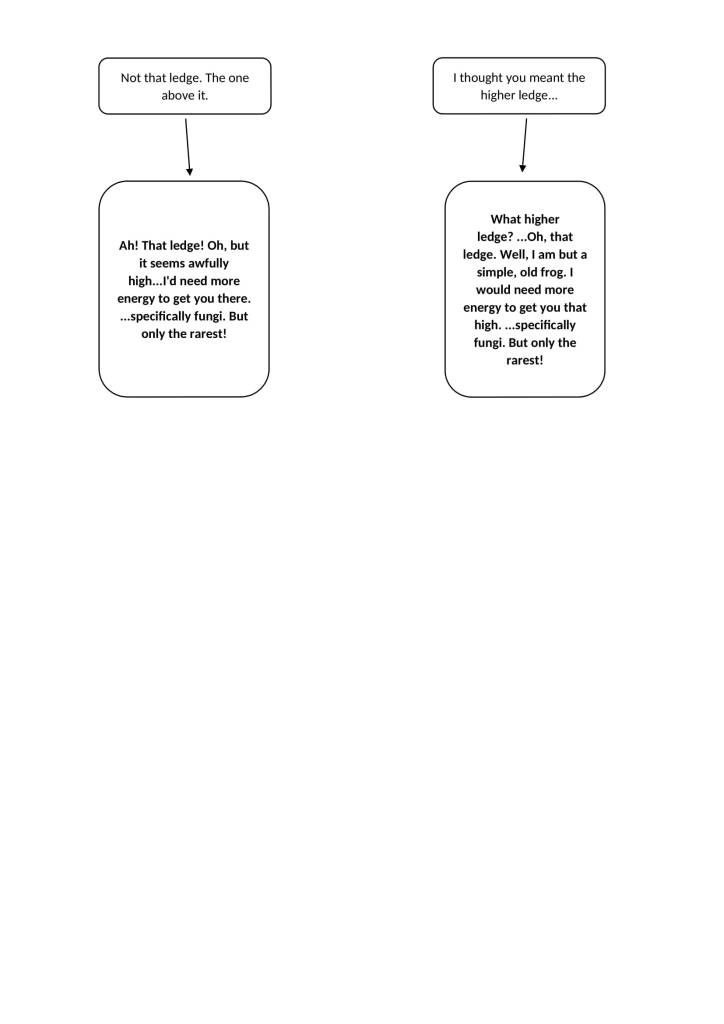
Frog when flies quest is complete – change
Frog when given wrong item in mushroom quest – add
Frog when given poisonous mushroom – add
Frog when given correct mushroom – keep
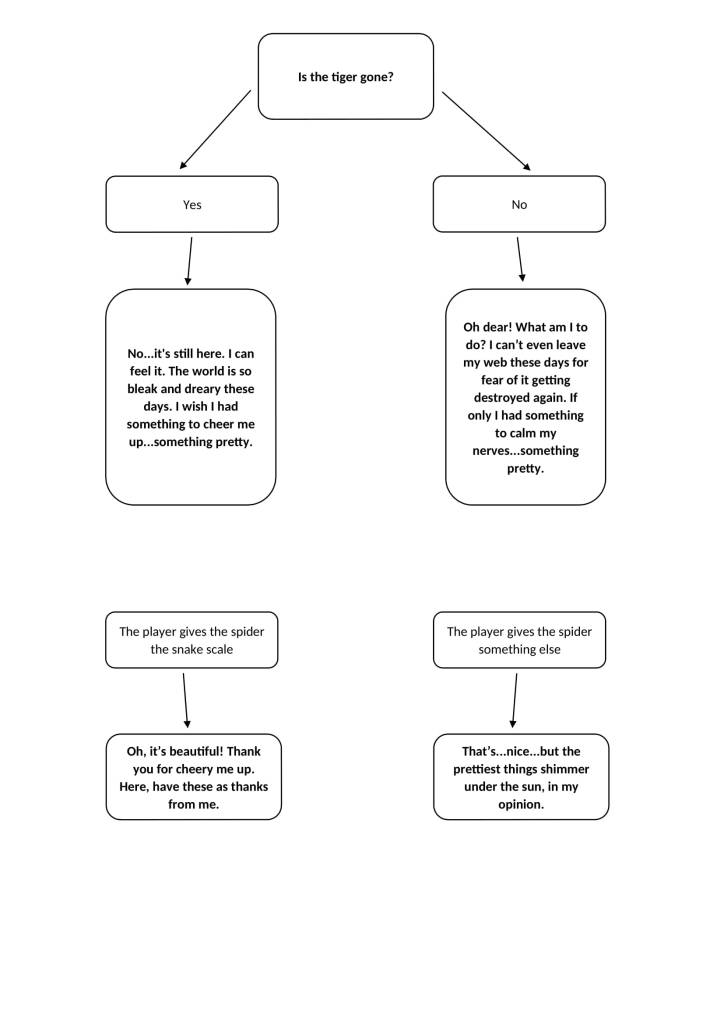
SPIDER
Spider at first – keep
Spider when given wrong item – change
Spider when given right thing – keep
After noting down what dialogue needed changing or adding, I began creating/changing the dialogue. I decided to list the things the new dialogue needed to imply.
Frog when flies quest is complete –
Things the dialogue needs to do:
needs to have the frog give the mushroom quest
needs to give the reason for the mushroom quest
needs to have the frog pretend to not know the player meant the lower ledge
needs to showcase the frog offering to help the player to the lower ledge
needs to showcase the frog offering to help the player to the highest ledge
Frog when given wrong item in mushroom quest –
Things the dialogue needs to do:
needs to showcase the frog’s bad personality
Frog when given poisonous mushroom –
Things the dialogue needs to do:
needs to showcase the frog realising the mushroom is poisonous
needs to showcase the frog dying
needs to invoke some sympathy/regret in the player
Spider when given wrong item –
Things the dialogue needs to do:
needs to give the player a hint towards the right answer
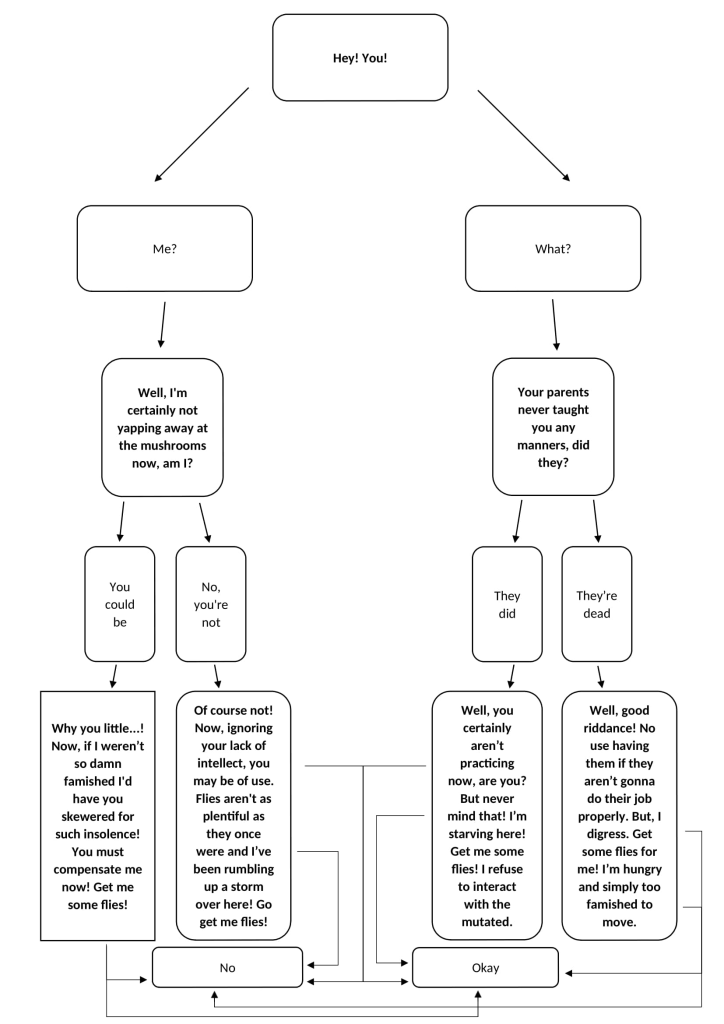
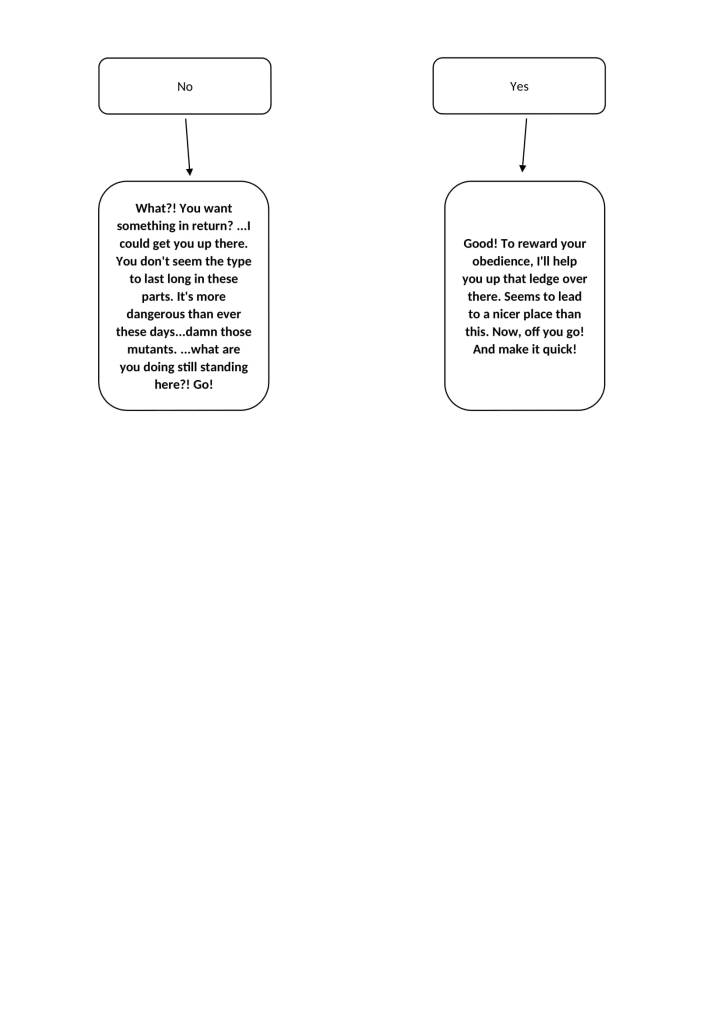
After listing what each new dialogue needed to accomplish, I began creating the dialogue whilst keeping the list in mind. When I finished creating the dialogue, I decided to make it easier to read by digitising it.
Shown below is the new dialogue in digital flowchart format. I used Word to create the flowcharts.
 Eden: A Muntjac's Tale
Leave a comment