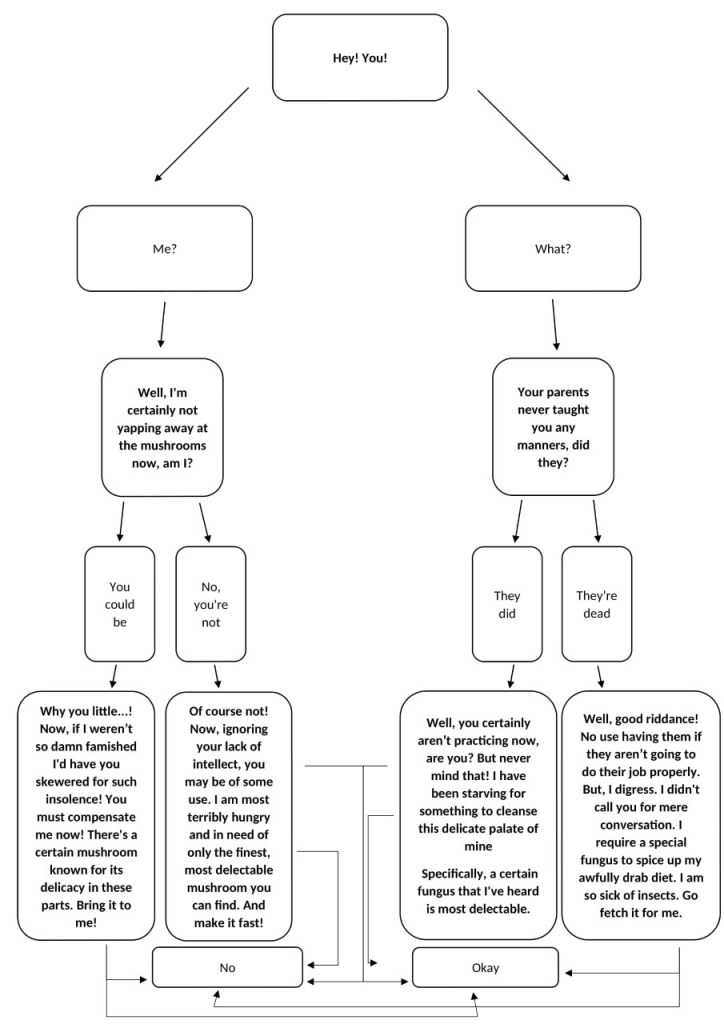
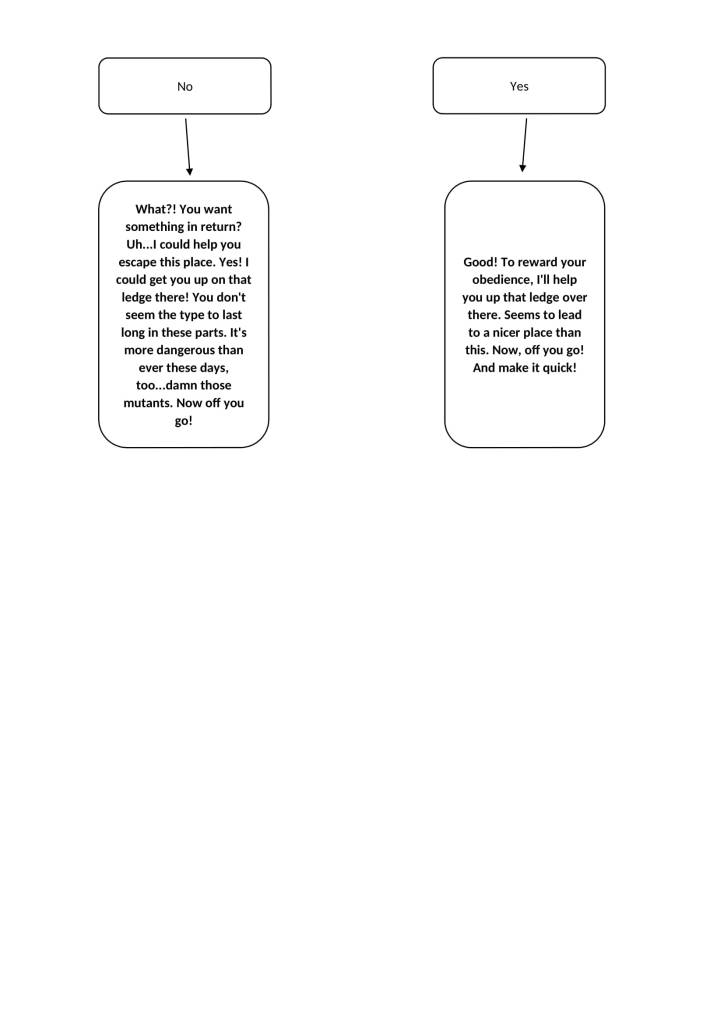
Previously, we were all asked to draw/design our respective game elements to showcase in this meeting and so we commenced the meeting by each doing so. I also presented the new dialogue I had created for the current game scope, which was readily accepted.
Furthermore, after some discussion, we decided to discard the crystal cave narrative as it involved creating another area. This was deemed as being unnecessary and overly convoluted for what was meant to be a small quest.
After Becca and I presented our work, Bernardo tasked us with drawing the layouts for our respective environments by next week.
My Task:Draw the layout for the crystal cave Deadline: A Week Later
In this team meeting, we presented our mock pieces and ‘environment art style moodboards’ to Shannon. We then proceeded to deliberate about which art styles would and wouldn’t either be feasible to execute or suitable for the deer’s art style. The art styles I had chosen to present were dismissed as either non-compatible with the deer’s art style or too detailed to be executed within the deadline. In the end we decided to use the art style showcased in Lepshkina’s ‘mushroom piece’ as the chosen painting style.
I also decided to present the dialogue I and created prior to the scope reduction as an example of incorporating dialogue options into the game. Bernardo stated that it would be a feasible task after looking at it.
During this team meeting, I decided to make a To-Do List was a good idea since there were quite a few things I thought we should go through in this meeting.
To-Do List
Decide environment style (& other styles? e.g. other animals/plants & props) ✓ – decided on Anna Lepeshkina’s style – use the deer as reference for the other animals – use the environment as reference for plants/props
Delegate tasks for Friday ✓ – design/draw assets and environments – pitch them on Friday
Use music programs for the game’s music/SFX – choose one ✓ – Programs that were suggested included FL Studio, Garageband and Audacity – FL Studio was chosen as Garageband is only available on ios devices and Audacity has a limited range of tools
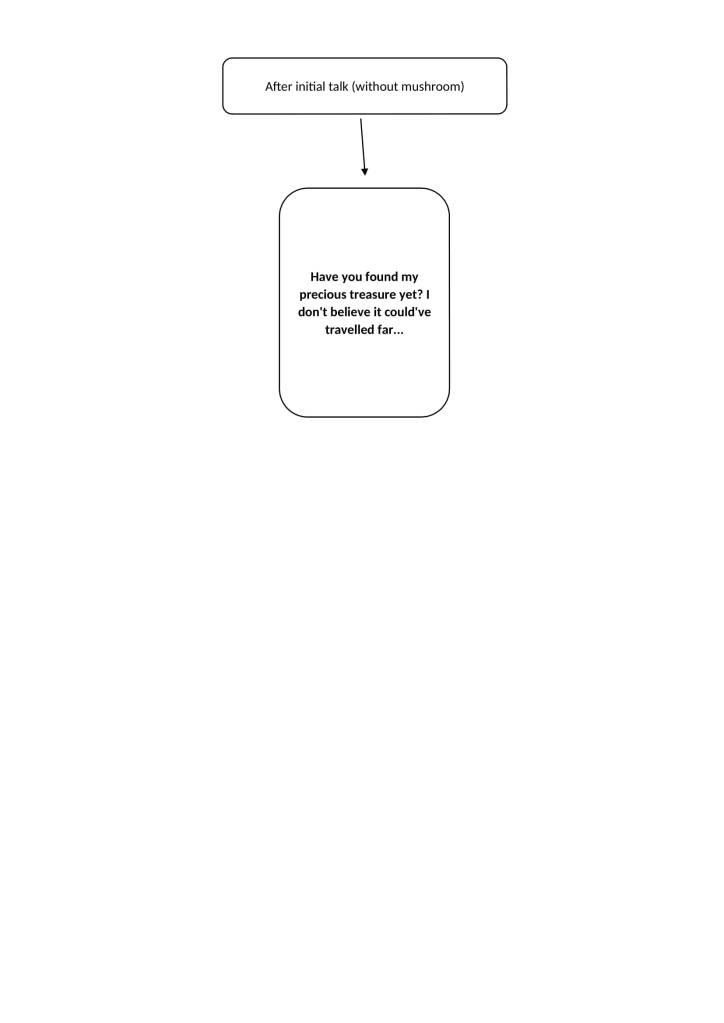
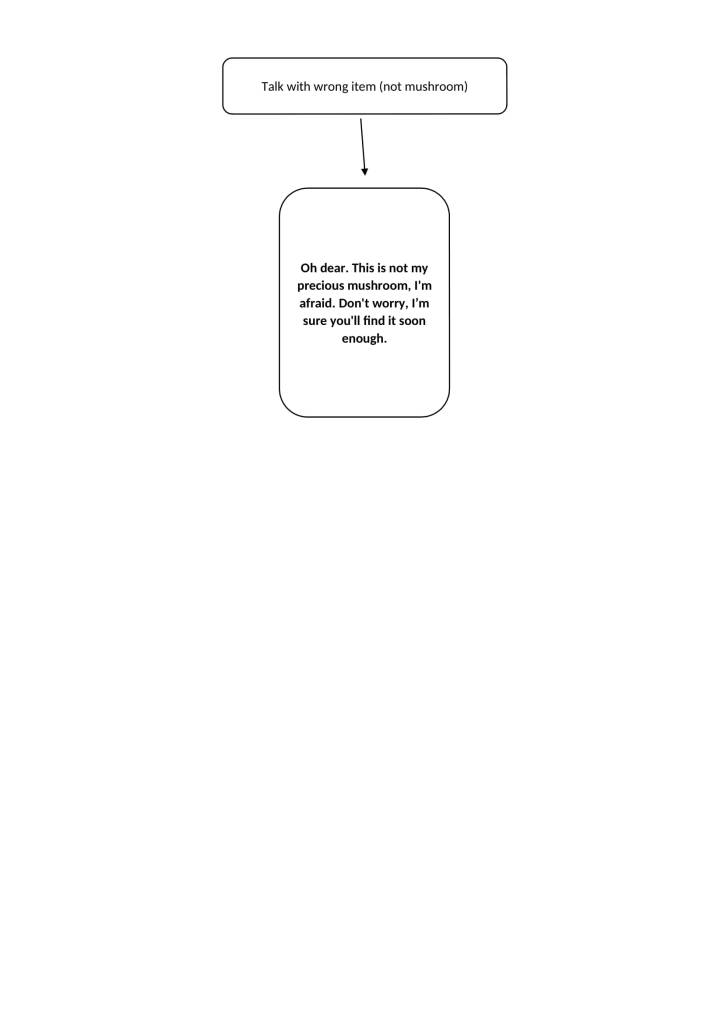
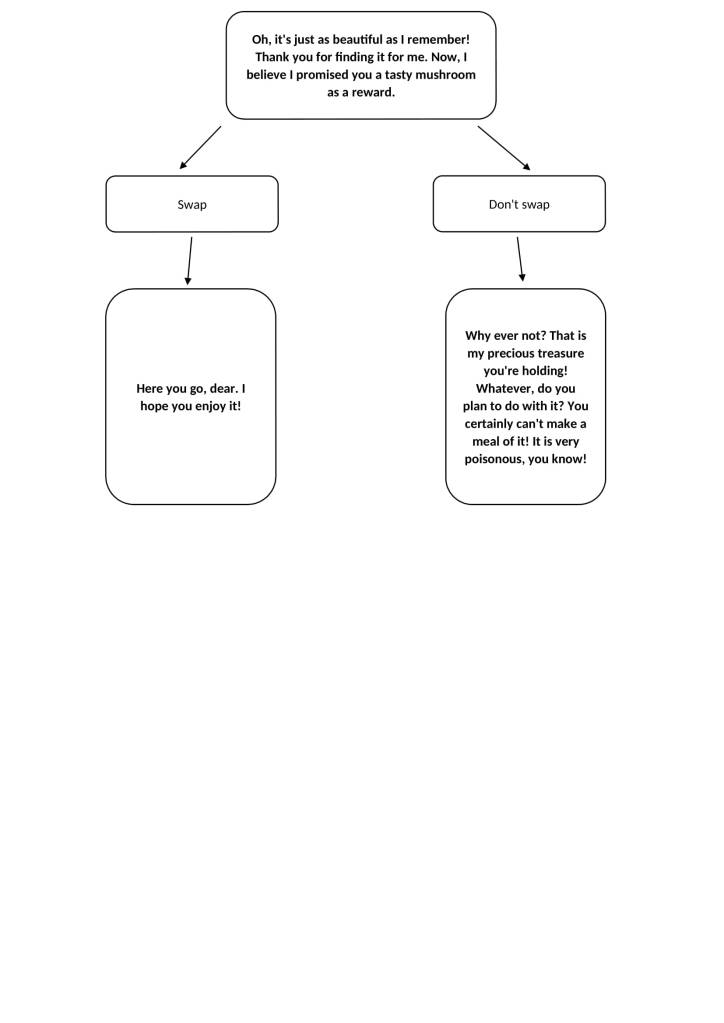
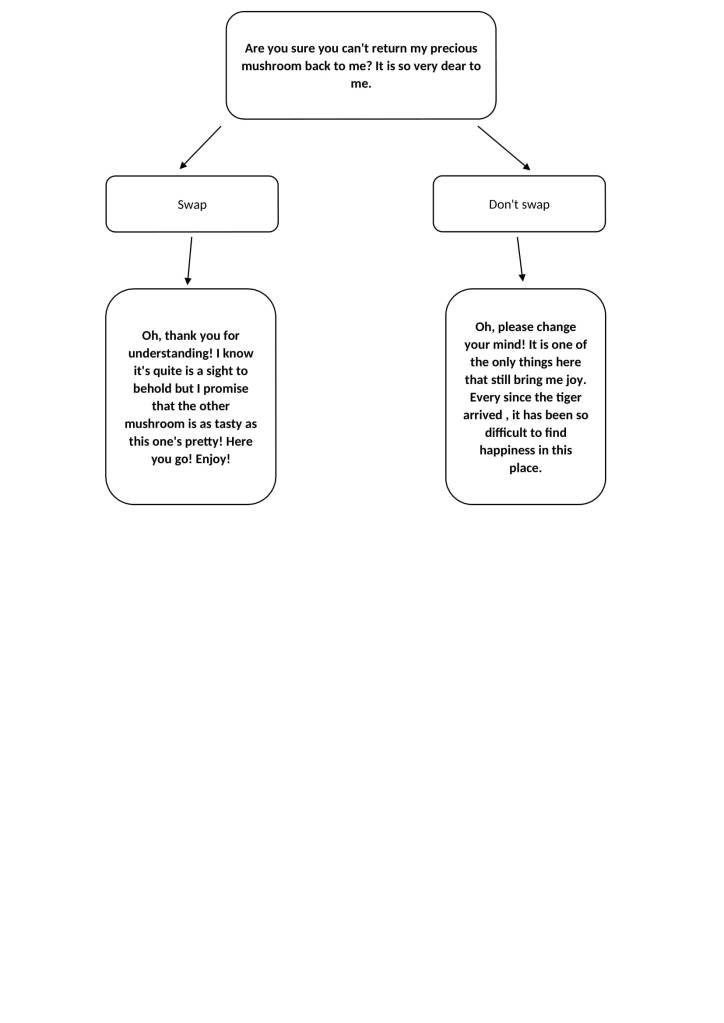
Decide on the dialogue & whether to have dialogue options ✓ – I will be altering the dialogue to suit the new game scope – dialogue options will be included – they make the dialogue more interactive and the gaming experience more dynamic/immersive
Decide on the animations for collecting and giving items ✓ – there will be no animations for collecting and giving items– they were deemed to be unnecessarywhen there is a simpler solution: – when collecting items, the item will just appear in the deer’s mouth – when giving items, the item will disappear from the deer’s mouth – the deer can only hold one item at a time – there will be no inventory– it is unnecessary
Decide on the amount of background layers we want for the parallax scrolling ✓ – there will be six layers in total: – foreground, main ground, foliage layer, another layer, another layer, sky layer
Decide whether the underground cave should be changed to an above-ground cave due to a complication with the game’s coding ✓ – the cave has been changed to be on the same level as the main environment
Decide UI for interactions ✓ – for dialogue, there will be a dialogue box with the talking animal’s icon in the corner – for player options in regards to interactive items, there will be text around the items that the player can click on – i.e. investigate & pick up – objects the player can interact with will have a glow around them as an indication
Decide on the interactions for the new environment ✓ – I made a list of the new interactions
List of new interactions
Frog – talk (help/befriended) wraps tongue around deer and jumps to ledge (kill) croaks & dies
Waterfall – pick up reed plant (deer dips head in)
Reed – wear it
Burrow – enter it (the player can click on it and ‘fade’ into the burrow – the code for allowing the player to walk down into the burrow was deemed to be too complicated as it wasn’t on the same level as the main environment)
Wind Plant – grab it with mouth pull it from ground carry it to fog place on dirt mound
Snake – hisses at deer
Skunk – (before wearing reed) looks at player (before wearing reed & barking at it) trembles (after wearing reed) freezes and looks at player (after wearing reed & barking at it) emits smell and runs away
In this team meeting, Shannon, Becca and I began by discussing the contents of Team Meeting 5: Part 2 with the rest of the team. The other team members agreed with our consensus that the project scope was currently too large for us to finish before the deadline. Therefore, we began discussing ways in which we could reduce the scope to a more manageable size.
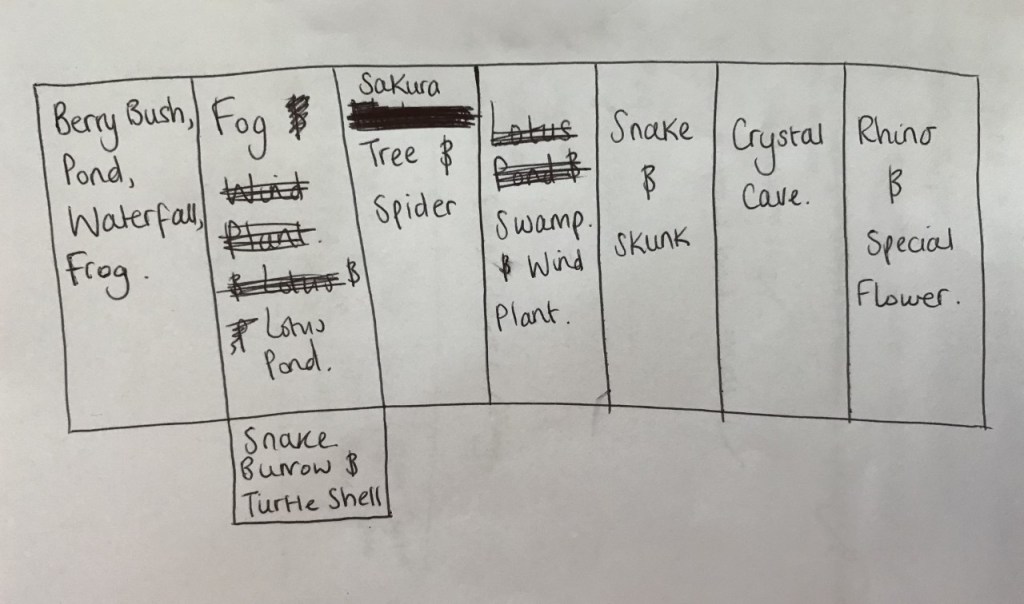
I proceeded to present the rough environment layout I made after Team Meeting 5: Part 2 was undergone. Shown below is the layout once again.
The layout was deemed to be too large still for a scope reduction and thus, we commenced scaling down the scope by changing my environment layout/the scope’s current environment and drawing a more visual diagram of the environment.
Written below are the notes from the meeting.
Notes
Combine lotus pond with waterfall/frog pond – have the lotus plants appear in the frog pond
Have corpse emitting fog in fog area? – discarded as being unnecessary
Have the skunk appear before the snake
Change the fog quest so that the deer doesn’t have to lure the plant anywhere – the deer can just pick it up – makes the quest less convoluted and annoying to complete
Change the fog quest so that the deer doesn’t have to feed the plant? – make it so that the deer just has to pick up the plant and place it down in the fog area – but how will the player know where to place it?
Have a dirt mound on the ground near the fog to indicate to the player that this is where the plant must be placed
Get rid of underground area – it is unnecessary and helps majorly scale down the environment
Have the crystal cave be at a slant so that it dips downwards – this supports the idea of an underground cave – this will add more dynamic to the new environment – an underground cave offers the environment a change in levels
Place the wind plant in the crystal cave – offers narrative behind its withering state – it lacks sunlight
Change the sakura tree into a mushroom tree – this contextually makes more sense as it doesn’t make sense for there to be sakura tree in a mushroom forest
Make it so that the mushroom forest has no trees – only mushrooms in place of trees
Combine the fog with the swamp? – discarded as have the fog conceal two key elements seemed a bit much and unnecessary
Place the special flower on a cliff face? – makes it unreachable
Discard the rhino quest – it was deemed as unnecessary since we only really need one small quest and we still hadn’t replaced the rhino with a suitable rainforest animal yet – thus, the rhino areaandthe swamparea were discarded
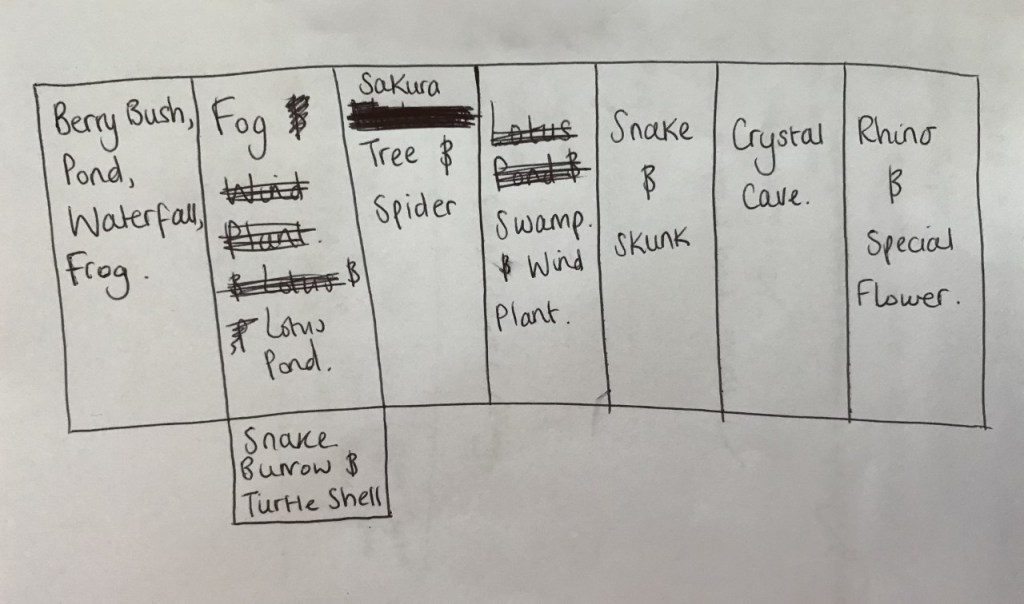
New Environment Layout Draft:
The draft showcases the following in the order I write them: Waterfall, Frog/Pond & Lotus Plants, Berry Bush, Fog & Burrow/Shell, Mushroom Tree/Spider, Skunk, Snake, Crystal Cave/Wind Plant, Cliff Face & Special Flower
After looking at the new environment layout draft, we decided that it still seemed too large to be the project scope. Therefore, we continued scaling the scope down and making changes to the environment. Written below are the notes from that session.
Further Notes
Change the flies quest so that the spider asks for something pretty as opposed to a flower – there are too many flowers involved in the quests – change it so that the snake leaves behind a snake scale when it moves – this is the pretty item the spider wants – this makes for a more cohesive quest lineup
Change the seaweed to a more suitable plant one would actually find in a rainforest waterfall – like a reed/river plant? – the plant still needs to be long so that the deer can wear them as stripes
Change the special flower quest so that the frog asks for a mushroom instead of a flower – this incorporates an important element of the game world – mushrooms – this makes for a more cohesive experience
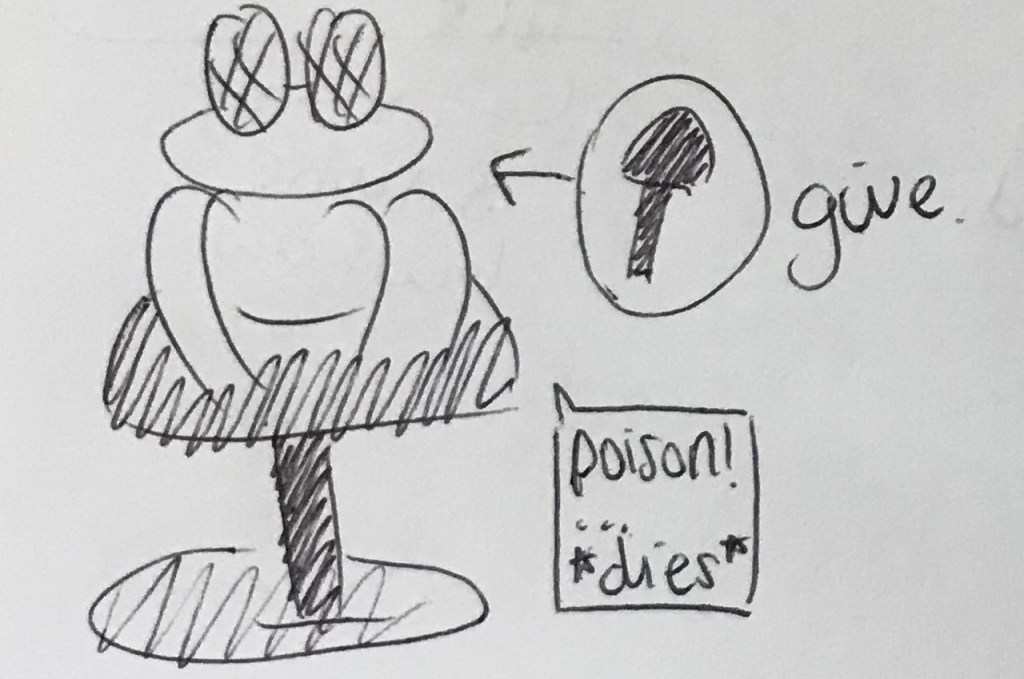
Changing the special flower to a mushroom also means that it’ll be easier to explain how a non-carnivorous deer can kill a frog – by poisoning it – the frog can eat a poisonous mushroom and die – thus, thespecial flower is discarded
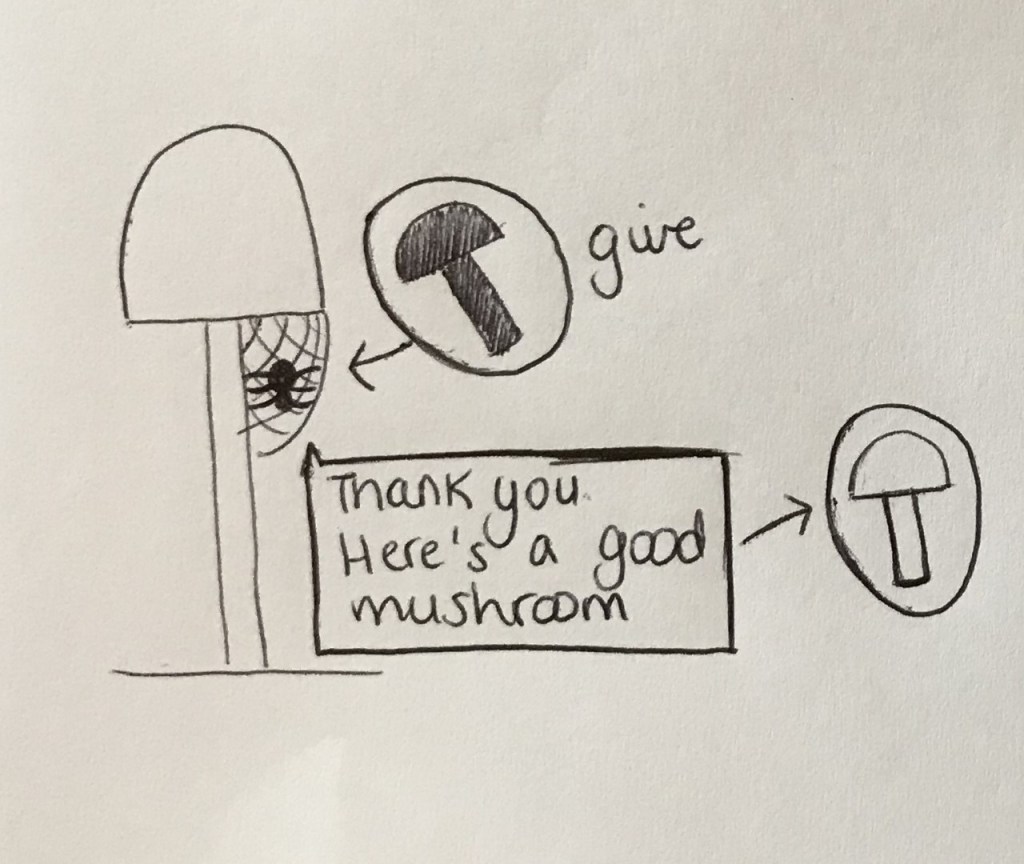
Change the snake burrow so that it contains two mushrooms instead of a shell – one mushroom is poisonous whilst the other is not – the player can choose which to give to the frog – this gives the player the choice to kill the frog – thus, the turtle shell isdiscarded
Make the frog bigger than the deer
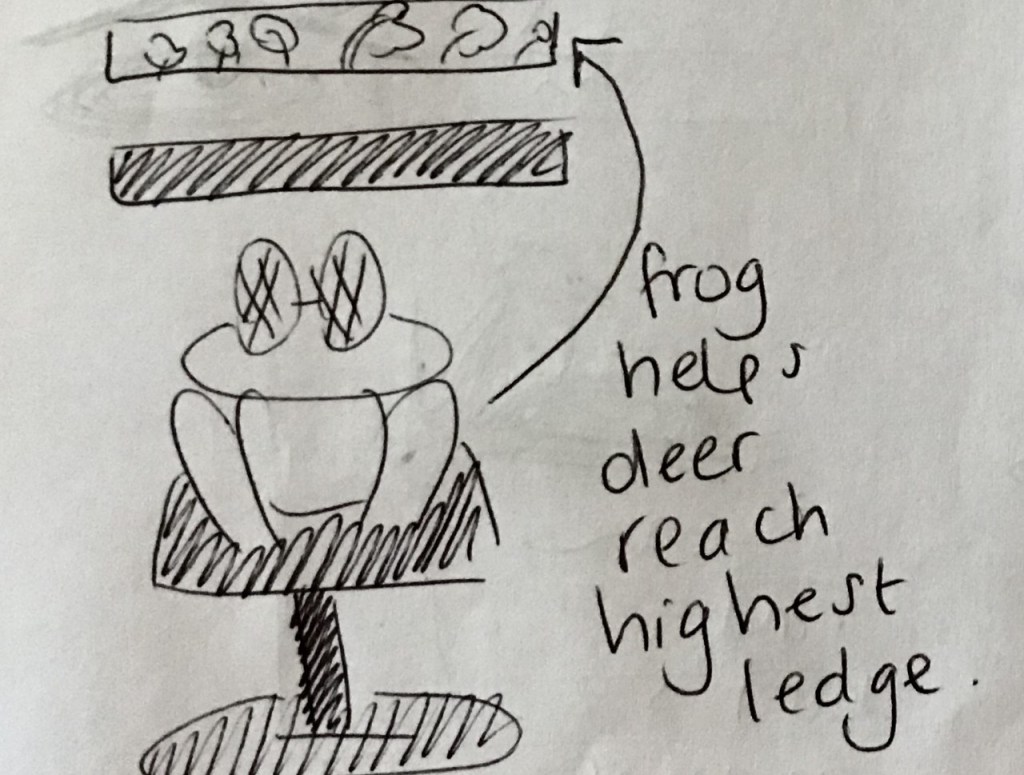
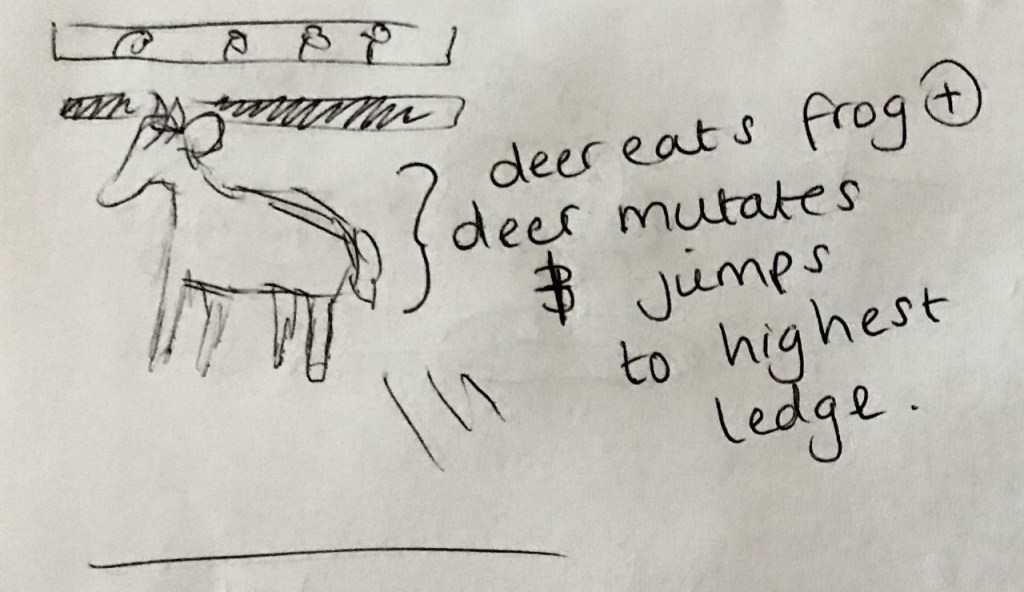
The frog uses its tongue to hold onto the deer before jumping up to the highest ledge
Shown below is the new version of the environment layout.
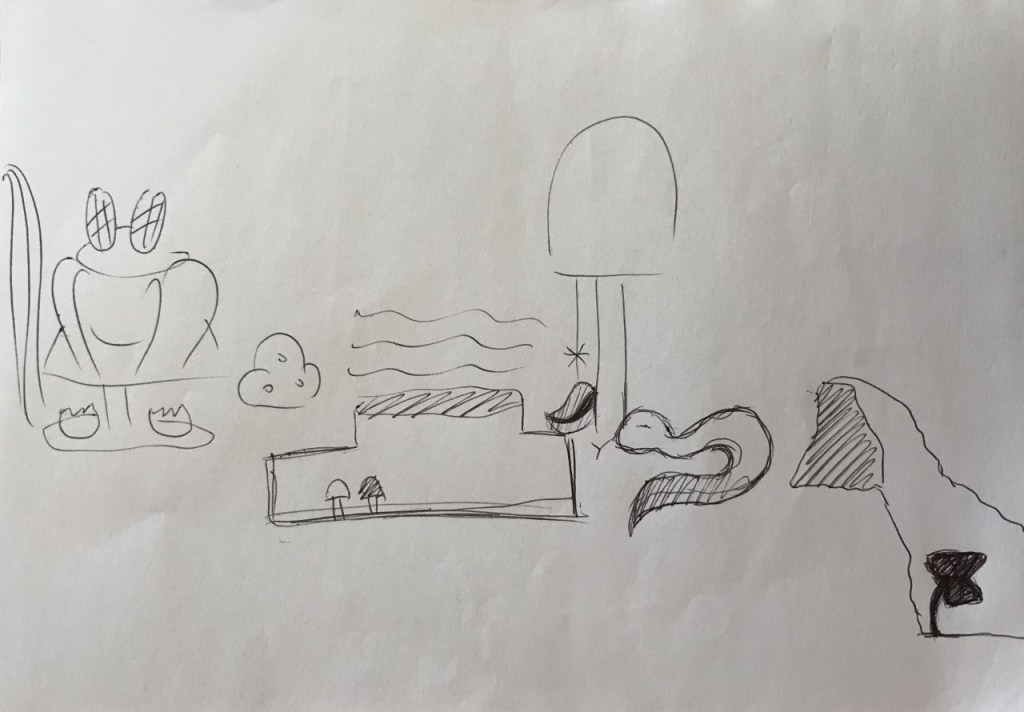
New Environment Layout(visual)
The diagram above showcases the following in the order I write them: Waterfall, Frog/Pond & Lotus Plants, Berry Bush, Fog & Burrow/Good & Bad Mushrooms, Mushroom Tree/Spider, Skunk, Snake, Crystal Cave/Wind Plant
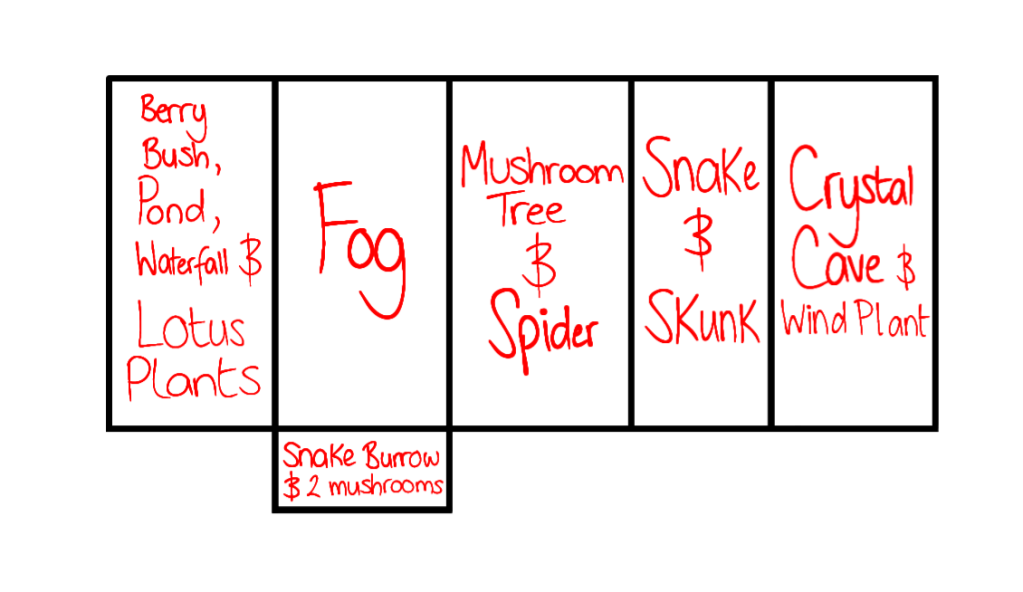
Shown below is the new environment layout in text-form.
Environment Layout 2.0:
Finally, we decided to reassign roles to suit this new project scope. Becca and I decided to take on environment design/art, Bernardo kept his role of doing code and music whilst Shannon, Natasza and Sharna filled the roles of character/prop design/art.
Next, we had specifically assign environments, characters and props to people. For the environment we decided to divide it between the crystal cave and the mushroom forest. I chose the crystal cave so Becca got assigned the forest.
For the characters, we had the frog, the spider, the snake and the skunk. We decided to firstly distribute a character per person and assign the remaining animal later. Shannon got assigned the snake, Natasza got assigned the spider and Sharna got the frog.
Regarding the props, we decided to just make a list of them and assign them to whoever is willing and available at a later date since they would take the least amount of time to create.
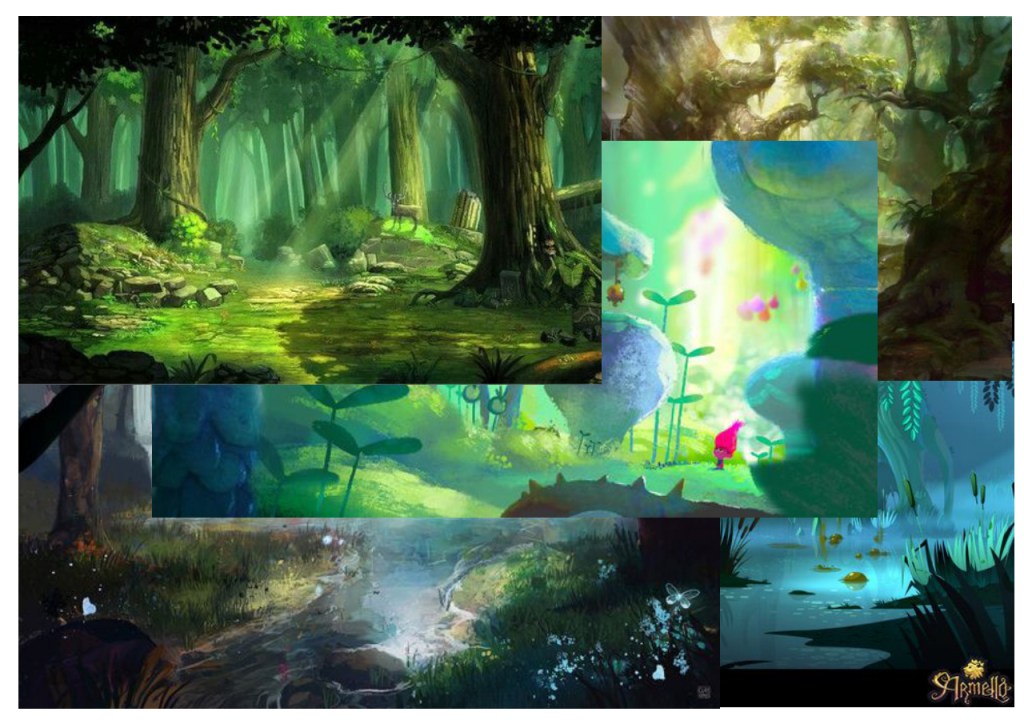
I made the moodboard by searching for digital forest paintings so that I could easily see if the style would suit a mushroom forest. I found a range of styles that ranged from cell-shading styles to more detailed styles that I thought could be feasible options for the game. I chose three styles in particular that vary from each other as examples to present at the next team meeting. Shown below are the three chosen images.
The styles range from detailed to simplistic. The first is the most detailed style, which I thought might be too difficult to execute within our given time-frame but I thought I would posit it nonetheless in case the team had different opinions. I chose the first style because it is visually very interesting and aesthetically pleasing.
I chose the second style because it seemed to be a good balance between detailed and simplistic whilst showcasing a nice polished, smooth look that I thought would look nice in the game.
Lastly, I chose the third style because it uses cell-shading and lacks detail. It displays a very simple style that we could choose to use if we wanted a style we could execute quickly and easily. However, I mainly chose it so that there would a polar opposite to the first. I did not think a cell-shaded environment would best achieve the game’s goal to be aesthetically beautiful.
A few hours after completing Team Meeting 5: Part One, Shannon, Becca and I began discussing some concerns we had over the current scale of the project scope. We thought that the project scope was too large for us to execute to a good standard before the deadline. We decided that we would rather scale down the scope so that we could create a higher quality game albeit a shorter one.
Additionally, we also discussed other aspects of the game we found to be lacking, such as character interactions. Written below are the notes from the meeting.
Notes
Add characters that either provide dialogue that offer quest clues/elements of narration or/and have them included in the quests in some way – for example, they have the same issue as the deer and voice their concerns
Have dialogue options for other animals?
Decide the environment’s art style – make a moodboard of art styles I want to posit as viable options for the game’s environment
Scale down the game scope – it is only a demo and we want it to be good/high quality even if it is short
Ways of scaling the scope down: Get rid of some quests and environments
Keep only the two frog quests, two medium quests and one small quest
Get rid of the underground area and burrows? – but we need a burrow to conceal the shell
In the end, I decided to do a quick attempt at scaling down the scope so that I could present it to the group in the next team meeting and provide something better to work from than the current scope. After some deliberating, I decided to choose thesnake and skunk quest and thefog quest as the two medium quests to keep whilst thecrystal cave quest and the rhino quest could serve as two smaller quests. I decided to incorporate the two smaller quests as both are very simple quests that offer different rewards. I thought keeping both wouldn’t make the scope too much larger as opposed to only keeping one. Keeping both quests also offers the player more variety in terms of quest rewards.
So in the end, these are the quests I chose to keep in my rough reduction of the scope: the fog quest, the snake and skunk quest, the crystal cave quest, the rhino quest, the two frog quests. I also decided to quickly make a layout for the new environment this smaller scope creates so that I could present it in the next team meeting and easily edit it if need be. Shown below is the new environment layout.
I placed the frog area first since the deer should trigger the flies quest first. I also combined the waterfall area with the frog pond area to make them one area – the waterfall can lead to the pond. Next, I decided to make it so that the burrow is beneath the fog area since the fallen trees area is no longer included. The fog was another method of concealing the burrow’s entrance. After that, I decided to space out the NPCs by placing the swamp between the spider and snake. I chose to place the spider first since that would mean the player could easily/quickly complete the first frog quest since there is no reward for it.
I chose to place the wind plant with the swamp since the swamp area didn’t include any other key elements at the time whilst all the other areas had more than one key element except for the fog area. I couldn’t place the wind plant in the fog area because the fog quest requires the player to find the wind plant.
Finally, I placed the crystal cave next to the swamp since the last area was supposed to be the rhino and the special flower.
Tasks
My Tasks: Practice/Draw a mock piece for the art element I wish to take on in this project – either environment design/art, character design/art & animation Make a moodboard for art styles I think would suit the game’s environment Deadline:Friday 21st February
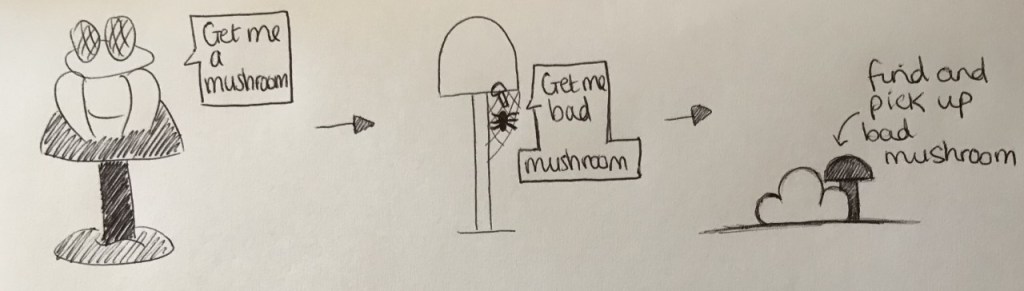
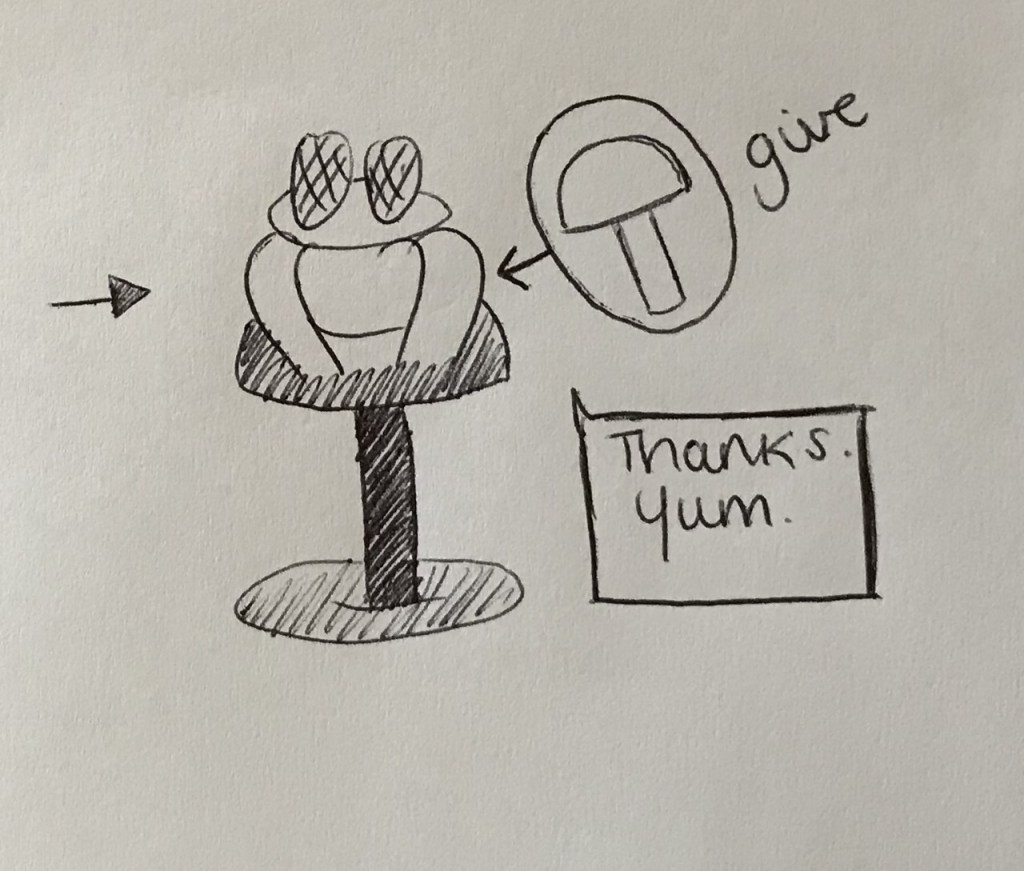
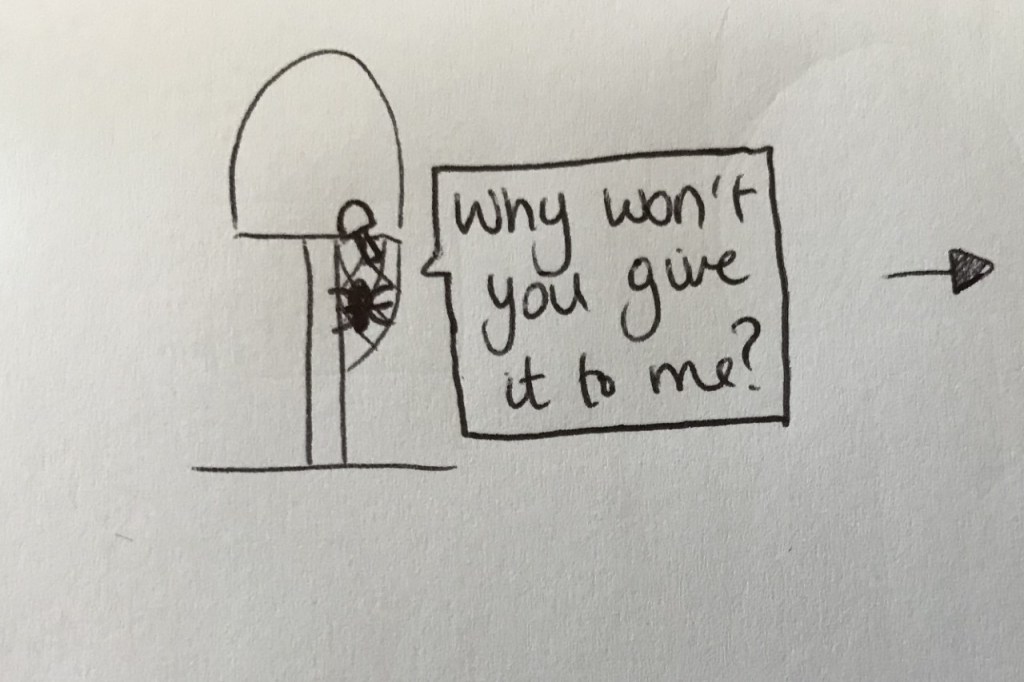
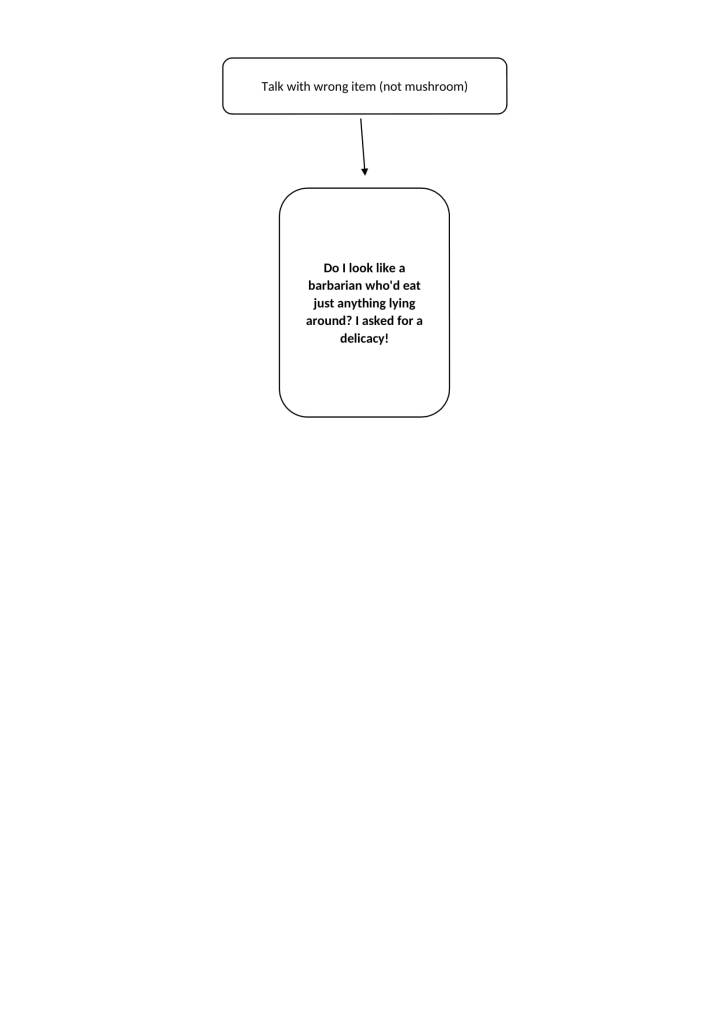
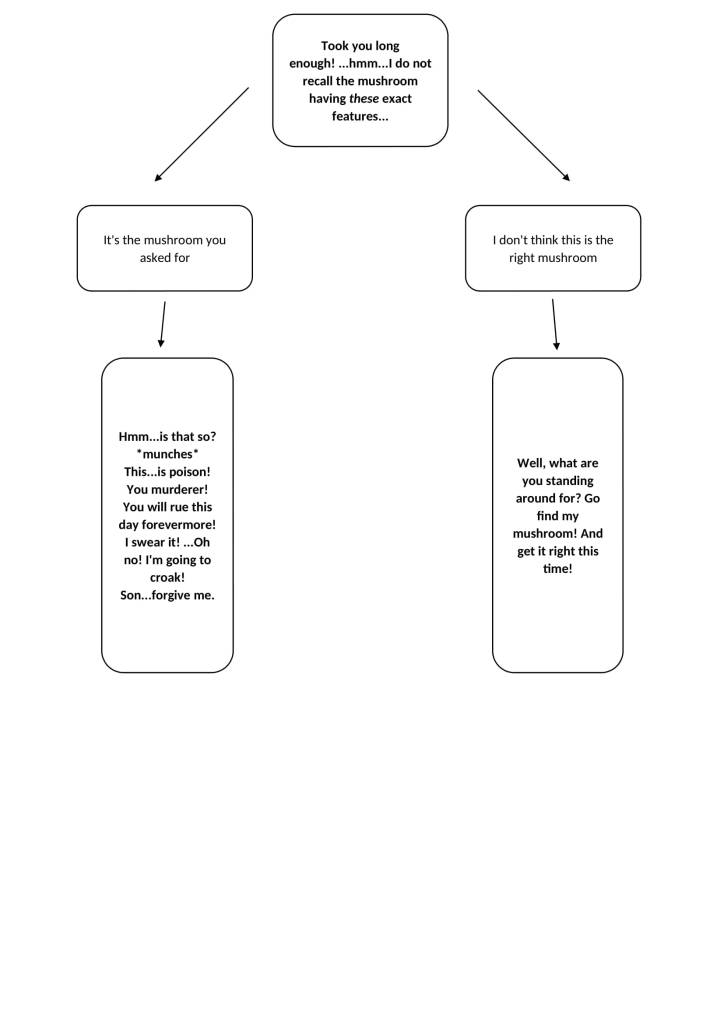
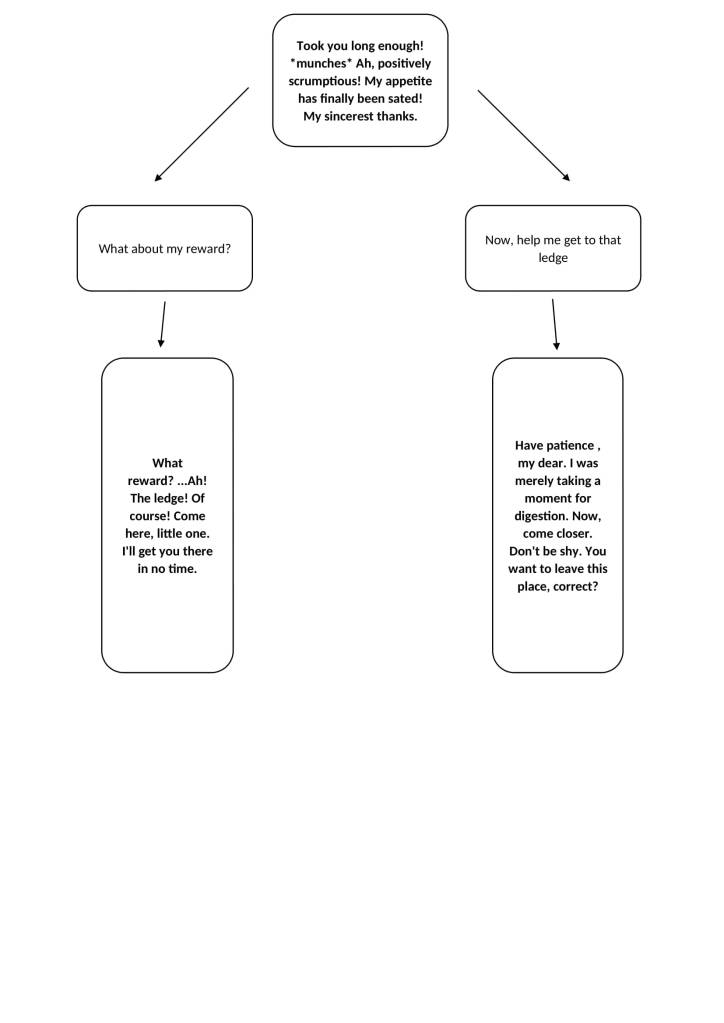
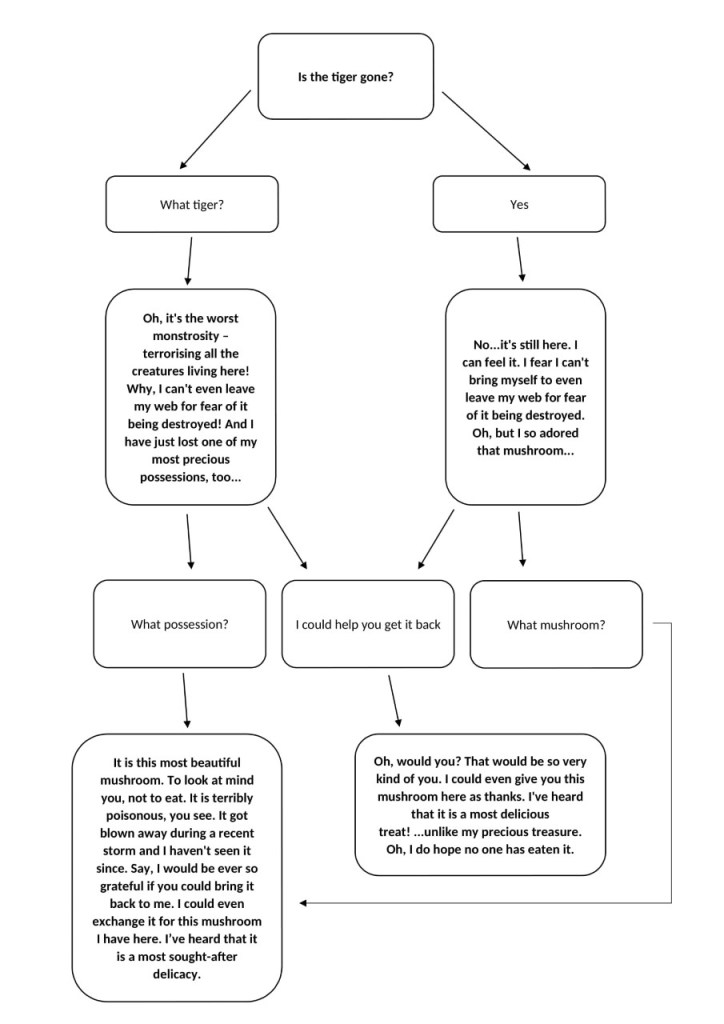
Flies Quest: Quest – The frog asks you to get the good mushroom for them in exchange for helping the player reach the highest ledge – this is the entrance to the next level
Good Solution – The player must find the spider and talk to it – it will ask for the poisonous mushroom – it is too scared to leave its web to get it The player must look behind the bush to find the poisonous mushroom – the player can pick this up The player must give the poisonous mushroom to the spider – the spider will then give the player the good mushroom The player returns to the frog and gives it the good mushroom The frog will then help the player reach the highest ledge and the player succeeds in befriending the frog – the player moves onto the next level
Bad Solution – The player must refuse to give the poisonous mushroom to the spider – the player will then get to keep the poisonous mushroom The player returns to the frog and gives it the poisonous mushroom The frog will then die and the player can consume the frog – the player would then mutate The player can then jump to the highest ledge – the player moves onto the next level
After Team Meeting 5: Part 2 was undergone, I was given the task to draw a mock piece for the art element I wish to take on in this project by Shannon as Art Lead. This task was given to everyone in the team who wished to pursue an art role in this project. She also told us to time how long the mock piece takes us to complete so that she could get an idea as to the speed everyone draws at. Gaining this knowledge would help create a more accurate development calendar and give us an insight into how long this project would take us to complete in terms of art.
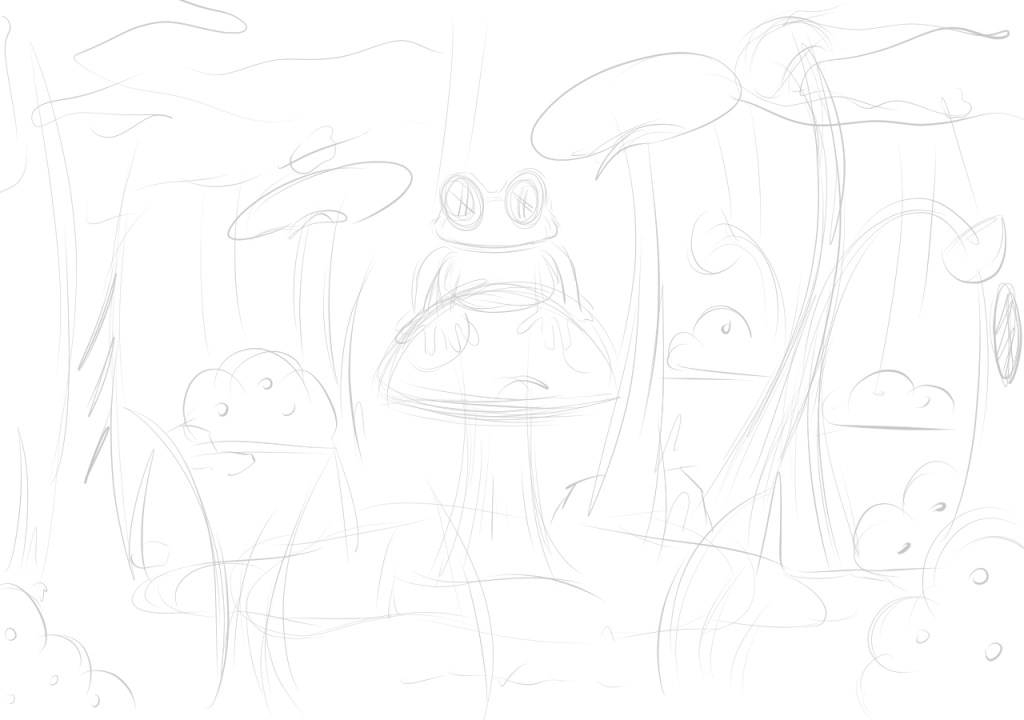
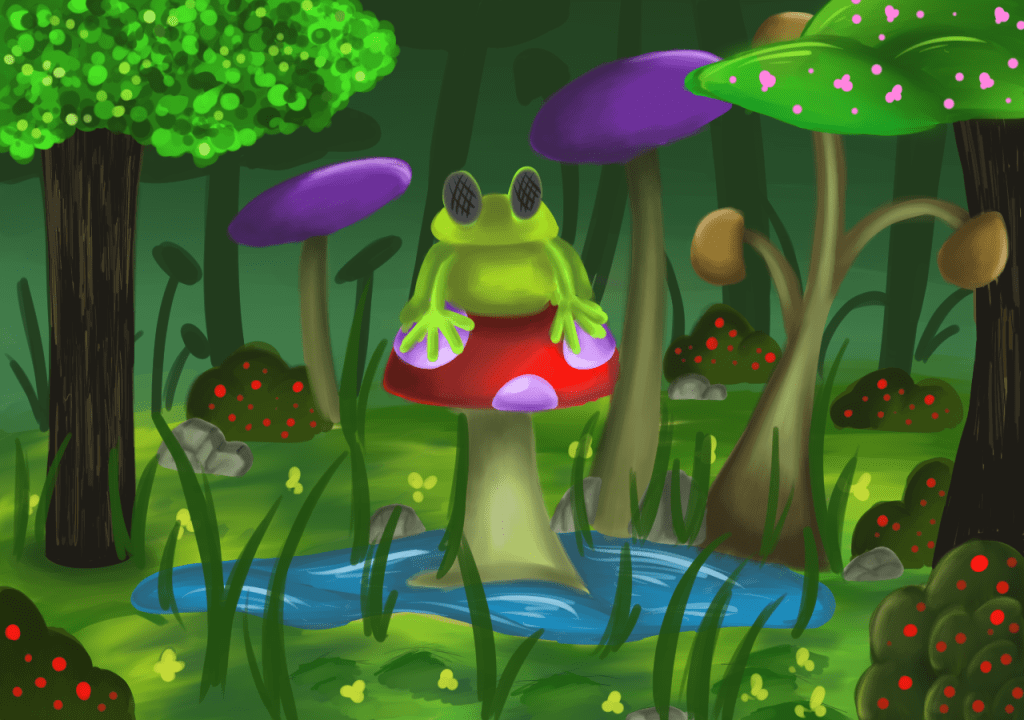
I ended up choosing environment design/art as the art element I wished to pursue as I wanted to improve my skills in that area. I opted for designing and drawing the frog pond as it was one of the more fleshed out areas of the game’s environment so far. The area’s key elements were a pond, a frog on a mushroom and a berry bush. I kept in mind these key elements when designing the mock piece.
Before I began sketching anything, I created a small moodboard for inspiration. Shown below is the moodboard.
I decided to begin timing myself at the start of my sketch process so I could see how long it would take me to create the entire piece.
Firstly, I roughly sketched out the composition of the piece, ensuring that all the key elements were included. Shown below is the sketch.
Next, I made a colour palette using colours I thought would suit the piece. I used my moodboard to colour pick the shades I wanted. Shown below is the colour palette.
Finally, I began painting the piece. Shown below is the painting.
Time Taken to Design & Paint it: 2 hours
I decided to incorporate both mushrooms and trees as part of the forest to explore different design options for the mushroom forest. I also chose to experiment with different art styles within the piece instead of opting for a cohesive style throughout because I wanted to explore several art styles without redrawing the same piece multiple times to achieve this goal.
I also incorporated a foreground and back layer as we had decided that a layered background would make for a more dynamic game world. The frog design is loosely based on the GDD – the frog has fly eyes as its mutation.
Movement: Player Movement – Do the controls (A and D) work separately? Does pressing both at the same time stop movement? Is the movement speed consistent?
NPC Movement – Skunk – Does the tail move when it should move? Does it emit the smell at the correct time? Does it look at the player at the correct time? Does it run away at the correct time?
Snake – Does it blink at the correct times? Does it hiss at the correct times?
Frog – Does the animation of it helping the deer to the ledge work? Does it talk when it should talk? Does it say the right dialogue at the right time? Does its icon appear on the dialogue box when it speaks?
Spider – Does it talk when it should talk? Does it say the right dialogue at the right time? Does its icon appear on the dialogue box when it speaks? Does it give the player the right item at the right time?
Camera: Does the camera move with the cursor at the correct radius from the deer? Does the cursor get stuck? Does the camera stop moving once it reaches the limit that has been set/once the cursor moves past the set distance from the deer (3 blocks in each direction from the deer)? Does the camera sit between the cursor and deer (but closer to the deer)?
Background: Does the correct background appear at the correct time? Do the correct layers appear in the correct order? Does the parallax scrolling work?
Player Interaction: Do items light up if hovered over by the cursor? Does clicking on animals that talk prompt dialogue? Are items three blocks or less from the deer able to be picked up? Are items over three blocks from the deer unable to be picked up? Do items that are picked up appear in the deer’s mouth? Do items that are dropped fall to the ground? Can the deer pick up more than one item? Are objects meant to have solidity solid?
Cursor: Is the cursor free to go anywhere? If the cursor goes outside of the interactive zone, does it change its icon back to the default one? Does the cursor change to the correct icon when each animal talks? Does the cursor change to the grabbing icon at the correct times? Does the cursor change to the inspecting icon at the correct times?
Music/SFX: Does the music play at the right time at the right volume? Does the music transition correct? Does the SFX play at the right time at the right volume? Do the sounds play at the right speed and is the speed consistent?
Dialogue: Can the deer only talk to animals within a three-block radius from the deer? Does the dialogue box appear when animals are talking? Are there any spelling/grammar mistakes in the dialogue? Does the correct dialogue appear at the right time?
UI: Do the game options appear when clicked on? Does each game option work when clicked on? Do the main menu options work? Does clicking play start the game? Does clicking quit/exit close the game?
Puzzles Can all the puzzles be completed and in the correct way? Is there only one solution for each puzzle?
Animations Do the right animations play at the right time? Do the animations play at the right speed?
Quality Assurance Testing is one of the gateways into game companies.
QA Testing consists of undergoing a series of methods to ensure a game functions correctly to a good standard.
Such methods include: Bug checking Testing assets in build/checking what the game plays like Looking at every interactive/non-interactive aspect
One should know what they’re testing for when QA Testing.
The most common method of QA Testing is Smoke Screen Testing/Smoke Alarm Testing. Smoke Screen Testing consists of performing tests of development builds. It aims at ensuring that the most vital functions of a game work correctly. This form of testing is used in order to determine whether a “build is stable enough to proceed with further testing” (Smoke Testing, n.d.).
Another method of QA Testing is Departmental Testing, which tests elements within. This is particularly useful for bigger games.
In order to accommodate Smoke Screen Testing to the scale of our project scopes, we are going to use acondensed version ofSmoke Screen Testing:
Game Section – could be about the game’s hierarchy/architecture, e.g. data handling or title screen Test Name Test Description – declare what should be tested and the specifics Results of Test – keep it simple and straight-forward If there is a problem – give a little detail – sometimes a simple yes/no is given and/or details are given in a separate section Screenshot Name – name appropriately – make it a simple, recognisable name so that at first glance, the viewer knows what it is Name of Tester and Date
Steps
Break down the game into its: Interactions – do they work the way they’re expected to? Non-interactive parts
We may want to include or assign team members to be specialist leads, e.g. tech lead, art lead, etc. in order to make the process easier.
Team Task:Write down the tests the game needs to undergo – make it so that external QA testers can understand





 Eden: A Muntjac's Tale